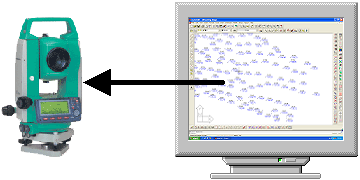
TxCoo
 Command
line: TxCoo
Description:
Send
coordinates from drawing to total station
 TopoLT
toolbar:

Menu:
TopoLT » Instrument » Send coordinates
By using this command you can send through serial port
(COM1, COM2, etc.) points with coordinates N,E,Z (X,Y,Z) to an instrument
(total station, field book, PocketPC, etc.) or you can save these points in a
file with selected instrument format.
All points or only those selected by use can be send from
drawing.
If you work in another UCS different from UCS World then
points coordinates can be sent relative to this UCS.
Communication parameters on serial port will be set in such
way that to correspond to parameters set in instrument.
For instruments that are not defined in instruments list you
can realize by yourself receiving and sending format. You can find the way to
introduce a new instrument at Configuration
- Instrument.
To send points coordinates to an instrument follow the next
steps:
1.
connect instrument to computer on serial port;
2.
select desired instrument from instruments list;
3.
set the same serial communication parameters;
4.
using instrument menu go to data receiving mode from PC;
5.
press button [Send];